
How-To Guides · Screens, dashboards and reports
Field-Level Help
fuuz.com/help/enabling-field-level-help
How-To Enable Field-Level Help
Article Type: Concept / How-To
Audience: End Users, Application Designers, Administrators
Module: Fuuz Platform
Applies to Versions: 2025.12+
Overview
Field-Level Help provides contextual guidance for individual fields and sections across Fuuz—pages, reports, dashboards, and custom screens. It helps end users understand how to use specific inputs and interpret displayed data.
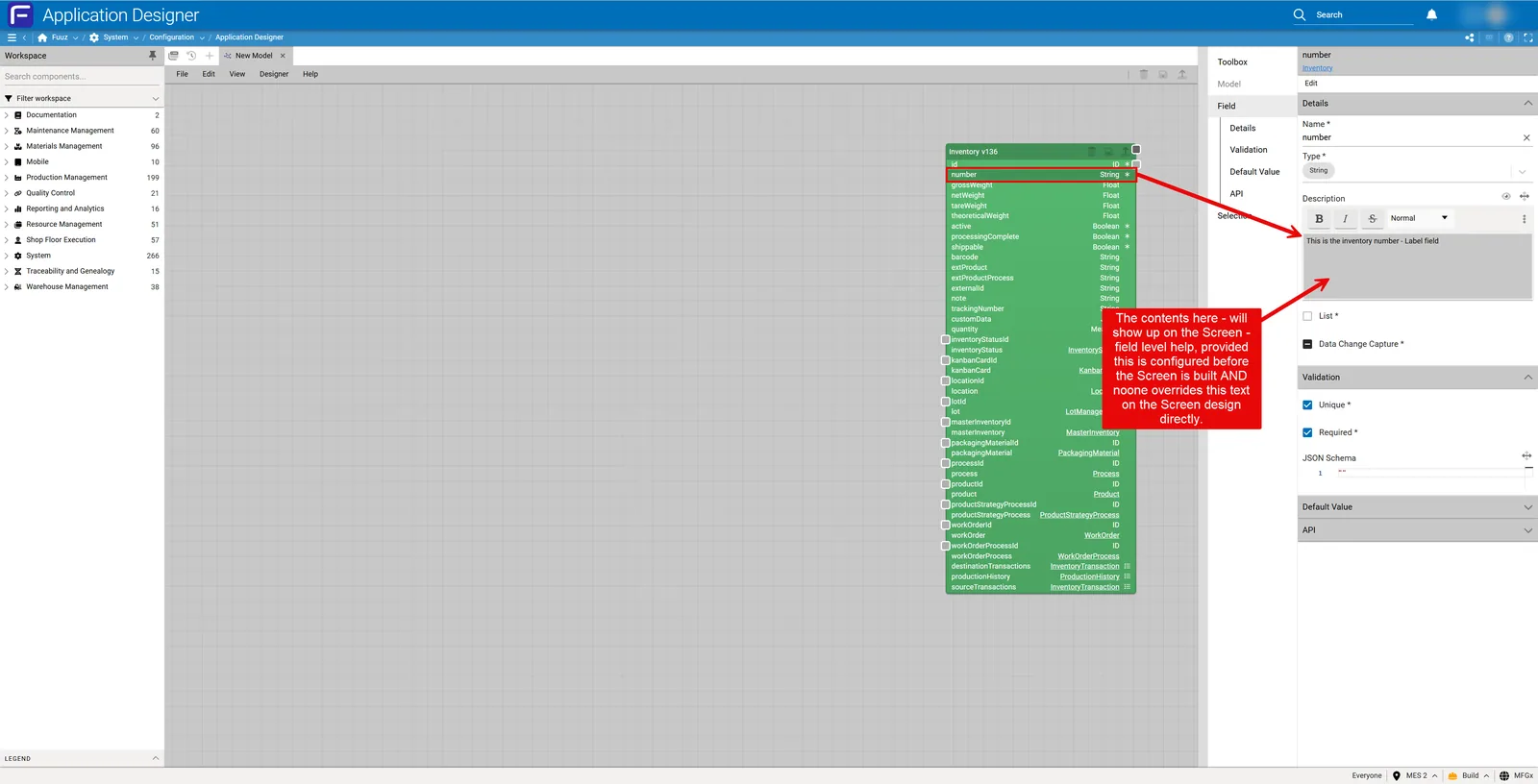
Note: Field-Level Help is defined primarily on data models via description fields. Those descriptions auto-populate screen field help, but can be overridden at the screen (field) level when needed.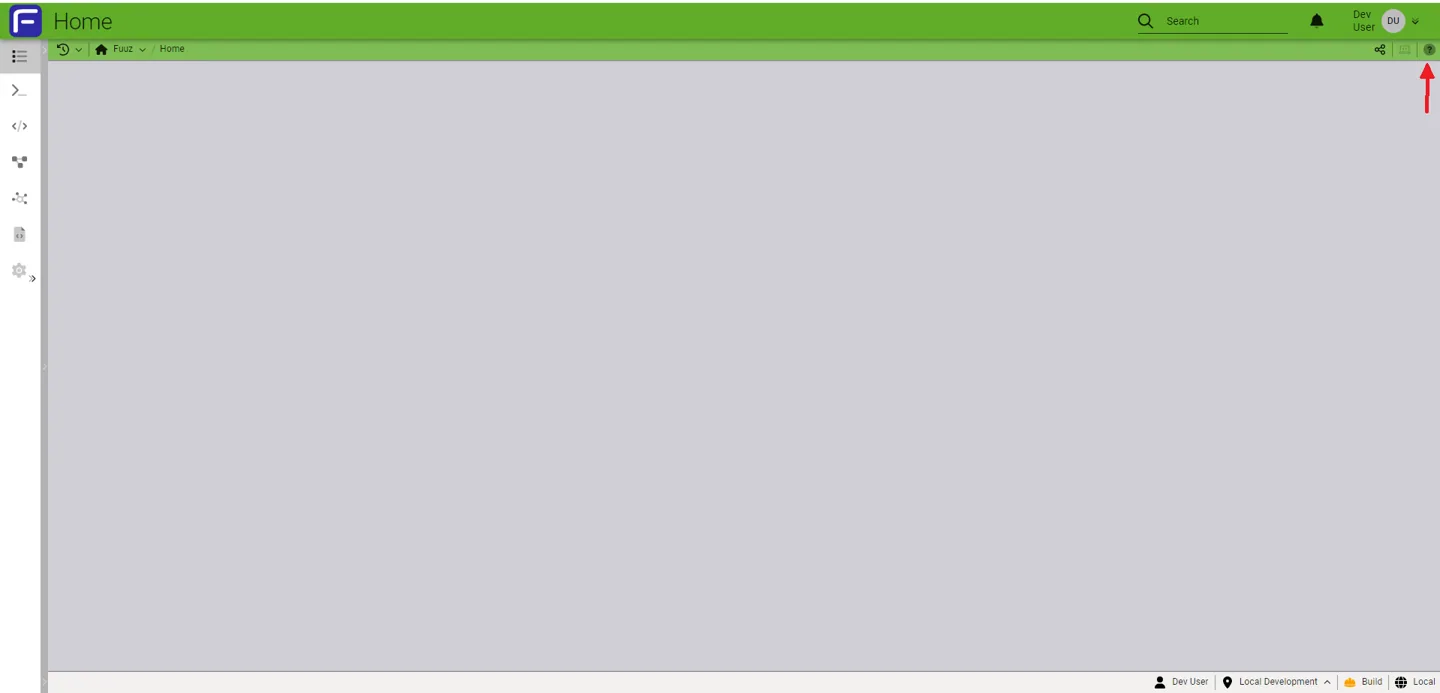
Where Field-Level Help Comes From
- Data Model / Schema: Builders add descriptions to entities and fields. These roll down automatically to screens.
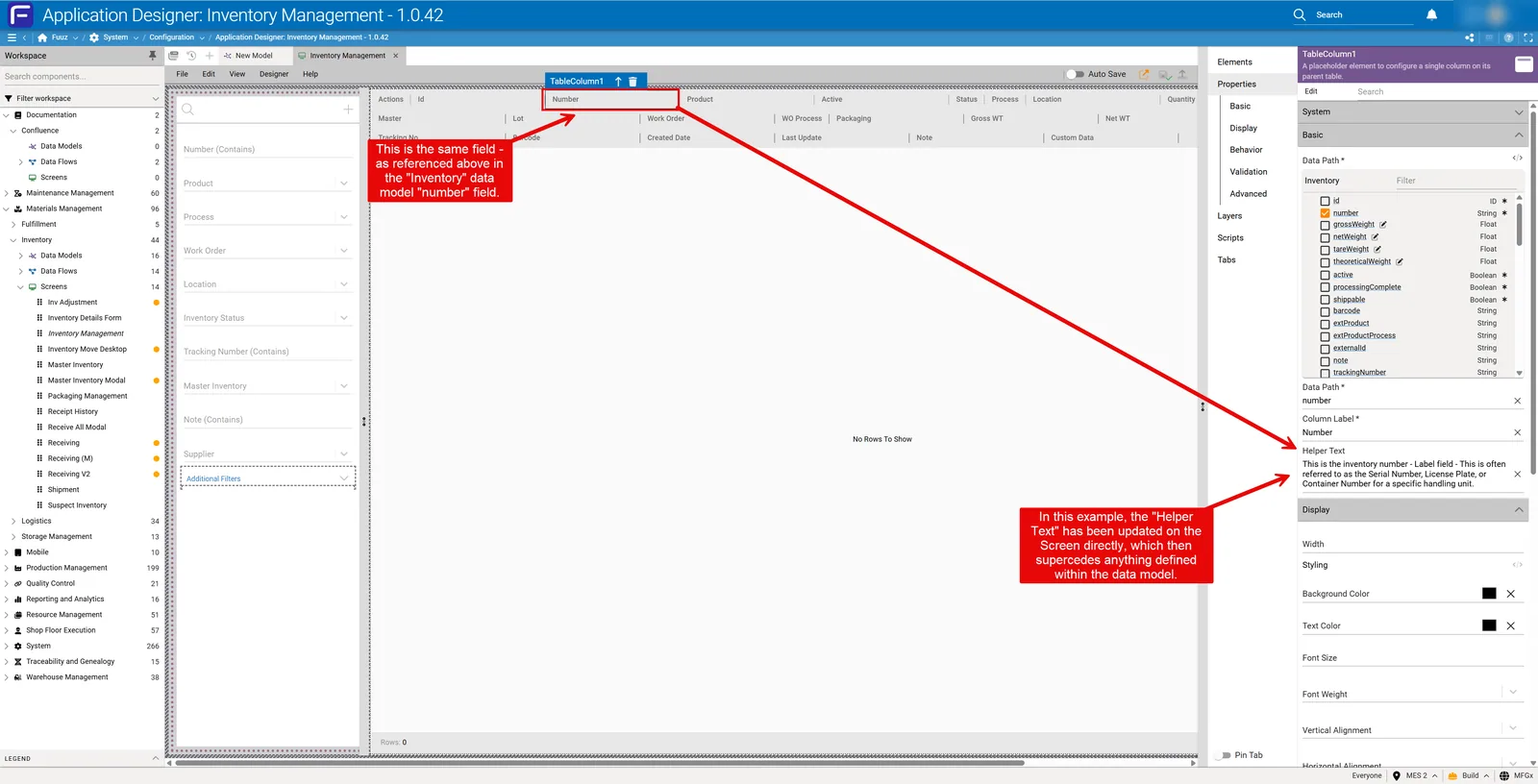
- Screen-Level Overrides: Designers can select a field in the screen definition and set a custom description that supersedes the model description.
- Auto-Population: When a screen is generated or updated, field descriptions are auto-populated from the data model unless an override is present.
Who Controls Field-Level Help
- App Builders: Define default help in data models.
- Screen Designers: Override help per field on screens.
- Administrators: In Fuuz, you control what displays in help for your application screens (with appropriate permissions)—edit the screen definition, update the field description, then save and deploy.
Enable Field-Level Help in the UI
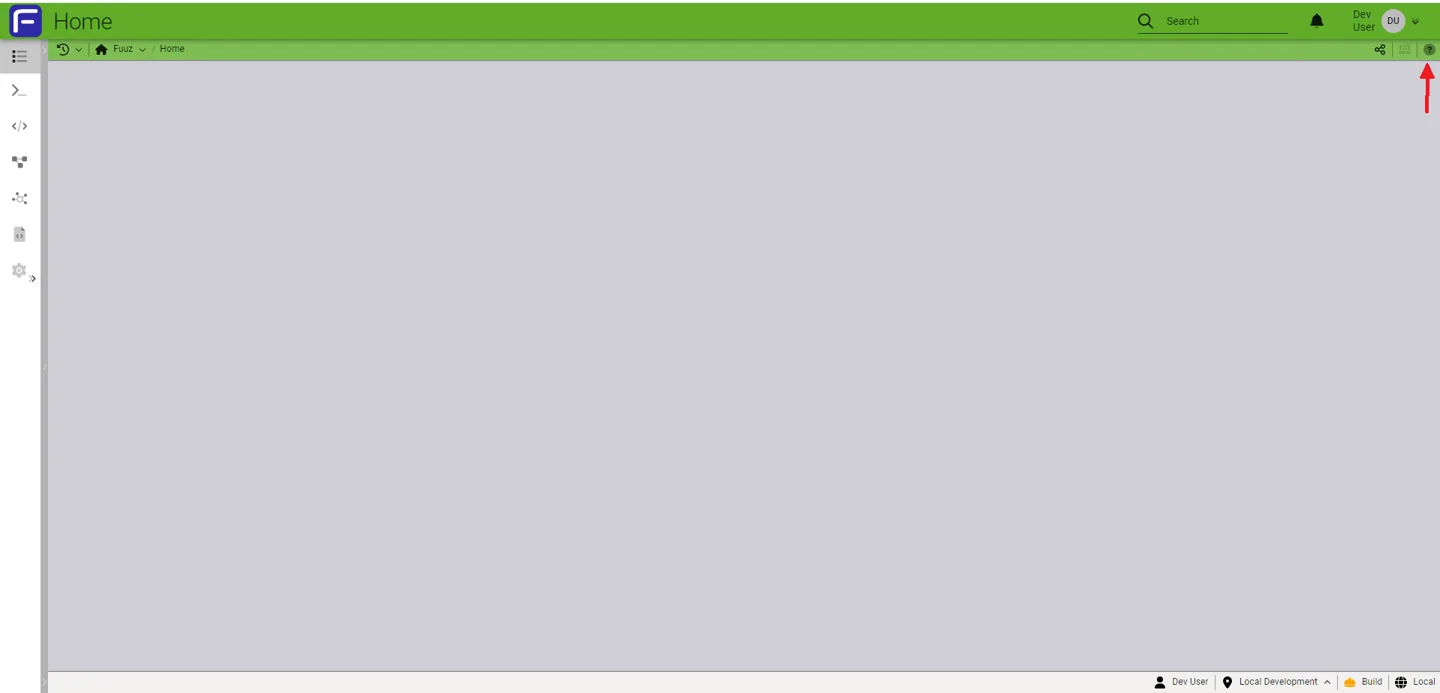
- Navigate to the top-right corner of any screen.
- Click the “?” Help icon to enable Field-Level Help.
- While enabled, sections will display a “?” near them. Hover to reveal contextual help for the section or specific fields.
Editing Field-Level Help (Screen Override)
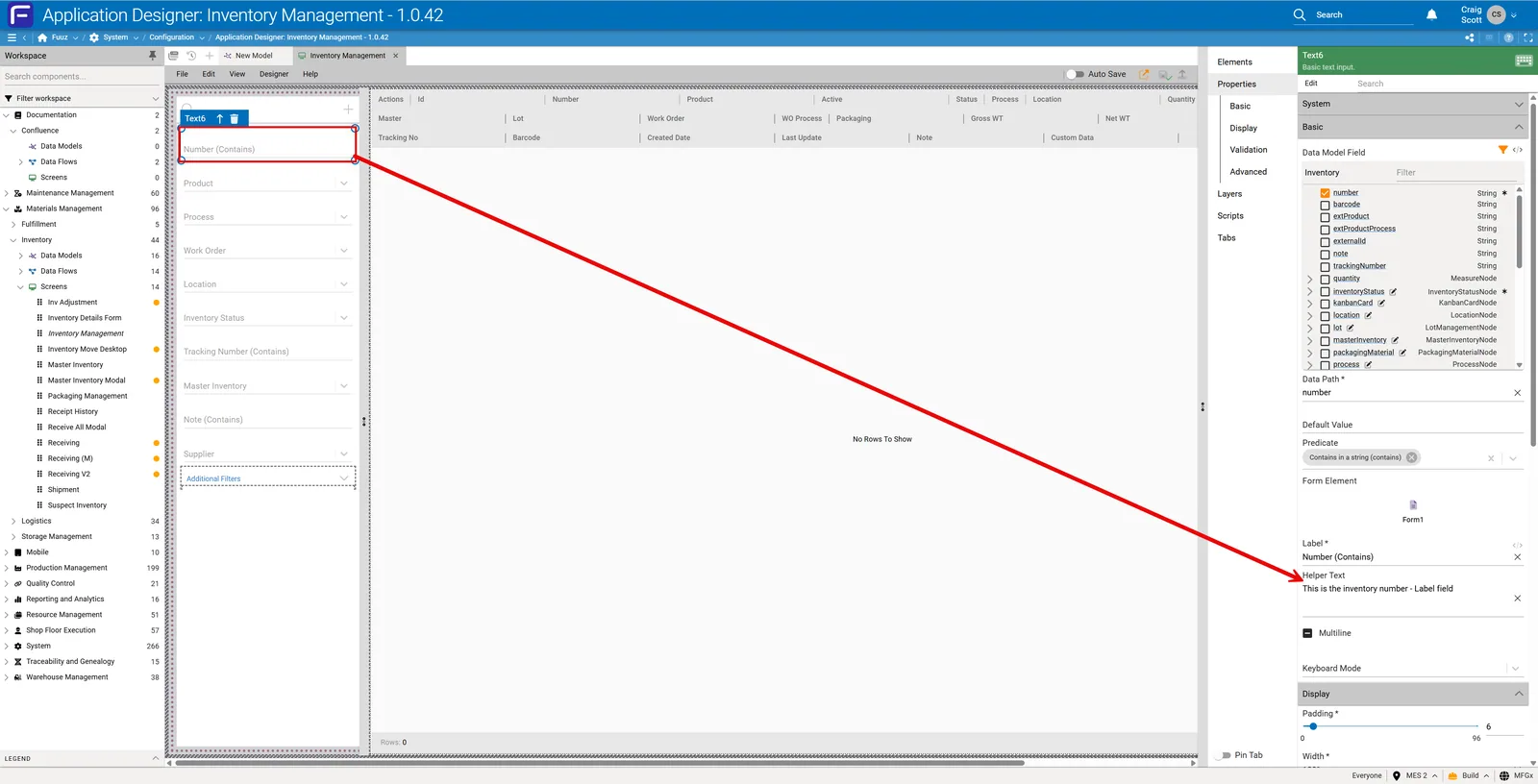
- Open the Screen Definition in the designer.
- Select the field you want to update.
- Update the Description for that field (this becomes the field-level help tooltip).
- Save the screen and Deploy.
Mobile Screens & Alternatives
On certain Mobile-type screens, the help icon may not appear. Consider alternative methods to deliver help content:
- Text Elements: Add subtitles or inline instructional text.
- Actions with Confirmations/Notifications: Provide guidance via confirmation dialogs or info notifications.
- Section Headers: Include concise usage notes in headers.
Permissions & Governance
- Editing field help requires appropriate designer/admin permissions.
- Customers have direct control over their field level help properties, contact your Fuuz system administrator if you feel something needs updating.
- End-user visibility respects role-based access and tenant isolation in the Fuuz mesh.
- Use support tickets to request updates to platform-level (system) fields, these would be things like Roles, Users, Policies, Designers, Etc.
Revision History
| Version | Date | Editor | Description |
|---|---|---|---|
| 1.0 | 2025-12-23 | Craig Scott | Initial Release |
Need more help?
Ask the Fuuz community, or open a ticket with Fuuz support.