Release to the floor
Release work orders from the ERP to the floor, with routing and operations.

Solutions
Why Fuuz
Industries
Resources
Partners
Company
Production execution and work orders
Runs on the Industrial Operations Platform, where your data, your applications and your AI live together.
The problem
Work orders live in the ERP, paper travelers and spreadsheets. Supervisors chase status, operators re-key data, and the ERP only learns what happened at the end of the shift.
How Fuuz solves it
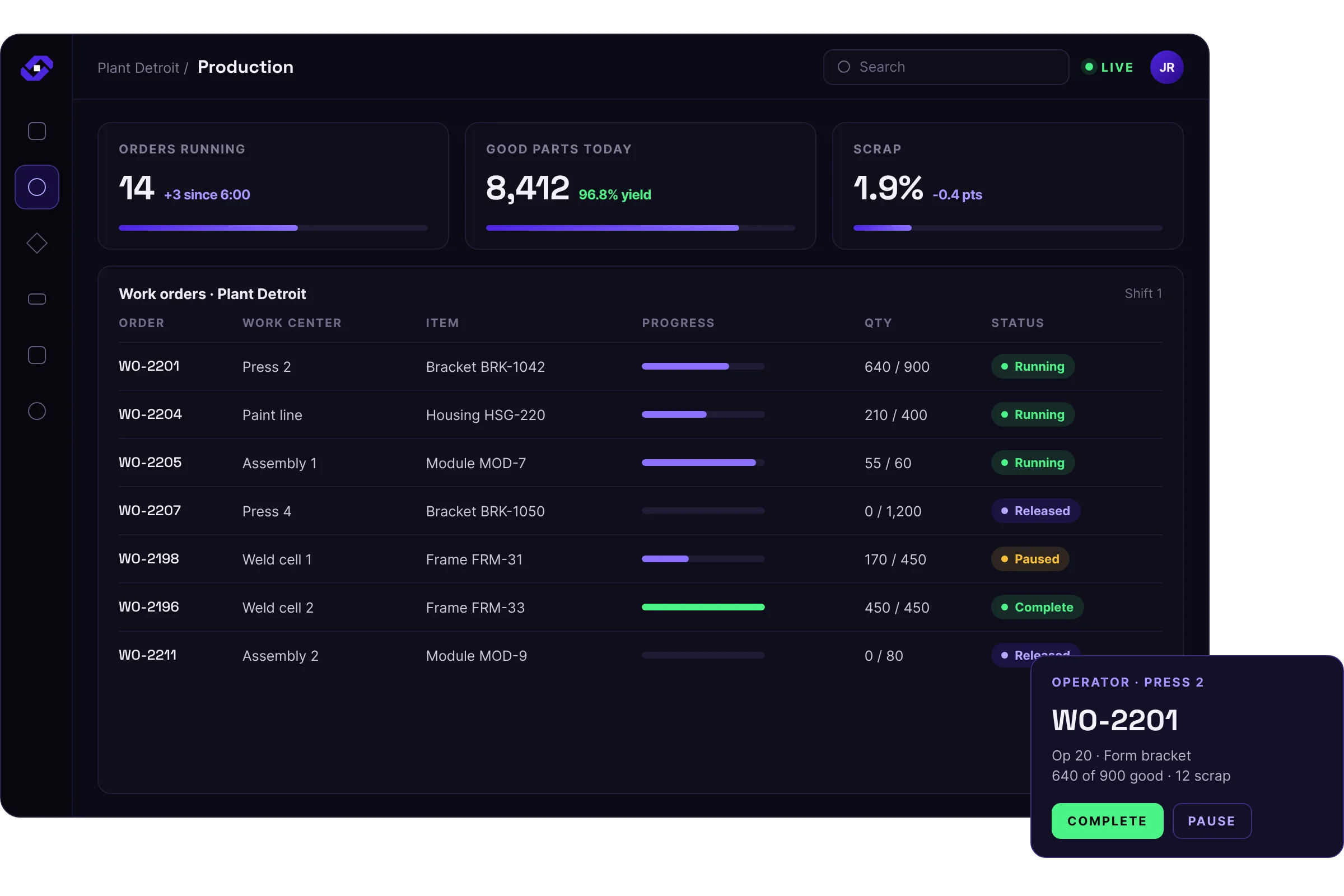
Release work orders from the ERP to the floor, with routing and operations.
Operators start, pause and complete operations on a shop-floor screen, with quantities, scrap and reasons captured as they work.
Supervisors see live status by work center and order.
Confirmations and consumption post back to the ERP.
Modes, sequences and roles control who can do what.
What it connects to
Connects to ERP work order and item data, shop-floor devices, scales and label printers.
Everything it records lands in the Enterprise UNS, so every other solution works from the same data. See ERP integration and shop-floor connectivity for how those connections work.
Who uses it
The operations assigned to their work center, with what to run and what to record.
Live status for every work center and order on their shift.
Which released orders are running, done or behind.
Progress across the plant without waiting for the end of the shift.
Results
A consumer goods manufacturer replaced end-of-day line counts with operator HMIs that capture data at the moment of manufacture. It now sees work in progress across the entire plant floor in real time, where its old ERP ledger tracked only raw material and finished goods balances.
Industry voice
“It would be hard for anyone to make an argument against Fuuz being the best enterprise-class MES on the market.”
Questions
A manufacturing execution system that runs as a cloud service instead of on servers in each plant. Fuuz can run Fuuz-hosted in public or private cloud, or in your own data center, with Fuuz Gateways connecting equipment at each site.
Fuuz is the industrial platform that makes MES possible. The MES accelerator is a versioned, governed solution built on the platform, so you start from a working MES instead of from scratch, then make it whatever your plants need with app component substitution while continuing to take platform updates. Because it runs on the platform, not beside it, it shares one operational model with WMS, quality, maintenance, integrations and your own applications, without another silo or vendor dependency. Stand Fuuz up alongside a legacy or homegrown system and retire the old system one plant at a time.
No. The ERP stays the system of record for finance, purchasing and planning. Fuuz runs execution on the floor and exchanges orders, inventory and results with the ERP. See ERP integration.
Discrete, repetitive, batch and process production, from a single site to many.
Yes. Start from an accelerator that you configure and extend with low-code and pro-code tools, or your own IDE. Your changes follow the same versioned build, QA and production lifecycle as everything else.
It depends on the deployment you choose, and you can choose per site. In a full cloud deployment, browsers and Fuuz Gateways connect straight to Fuuz. In a two-tier (hybrid) deployment, the Fuuz Gateway at the site keeps collecting machine data and buffers it while offline, with store-and-forward; expect 4 or more hours, depending on your implementation. In a three-tier deployment, a Fuuz enterprise runs at the site, so the plant keeps executing for as long as it needs: released orders, quality checks, labels, inventory moves and machine data. When the connection returns, Fuuz synchronizes with the central enterprise and posts to the ERP. Any tier can be Fuuz-hosted or run in your own data center. See Architecture.
Wherever suits you, and you have unlimited access to all of your data. Build dashboards natively in Fuuz with the same tools you use for screens. Pull data through the Fuuz GraphQL API into your favorite reporting or BI tool. Or connect AI assistants through MCP and have conversations with your own data, under your own permissions. See Data and AI.
Yes. Start with one site or one process, then package what works and roll it out to other sites with room for local variation.
Related solutions
Run recipe-driven batches the same way every time, with the record to prove it.
Learn moreKnow every lot's status, location and history, from receipt to shipment.
Learn moreSee where labor hours go, by order, operation and work center.
Learn morePlan any process against dates and capacity, and replan when things change.
Learn morePrint the right label, with the right data, at the right place.
Learn moreGet a head start
The accelerator catalog is a faster path than building from scratch: prebuilt data models, flows and screens to adopt and adapt to how you run.
Browse the catalog to find the starting points that fit your plants. A Fuuz services professional or an approved partner implements them with you.
What an accelerator gives you
Get started
Tell us what you run today. We will show you Fuuz working on your problem.
Prefer to talk? Call 1-877-801-FUUZ (3889)