
How-To Guides · Data flows and schedules
Unique Email Plus Addressing
fuuz.com/help/unique-email-plusaddressing
How-To: Configure Unique Emails for Shop-Floor Users
Article Type: How-To / Best Practice
Audience: Enterprise Administrators
Module: Fuuz Platform / Access Control
Applies to Versions: 2025.12+
Overview
Shop-floor users often lack corporate email addresses. Fuuz supports plus-addressing to create unique user IDs while routing all notifications to a single admin mailbox. This ensures password reset emails, access expiry alerts, and other notifications are managed centrally without sacrificing uniqueness.
Tip: Plus-addressing works with most modern email clients (e.g., Gmail, Outlook, Microsoft 365).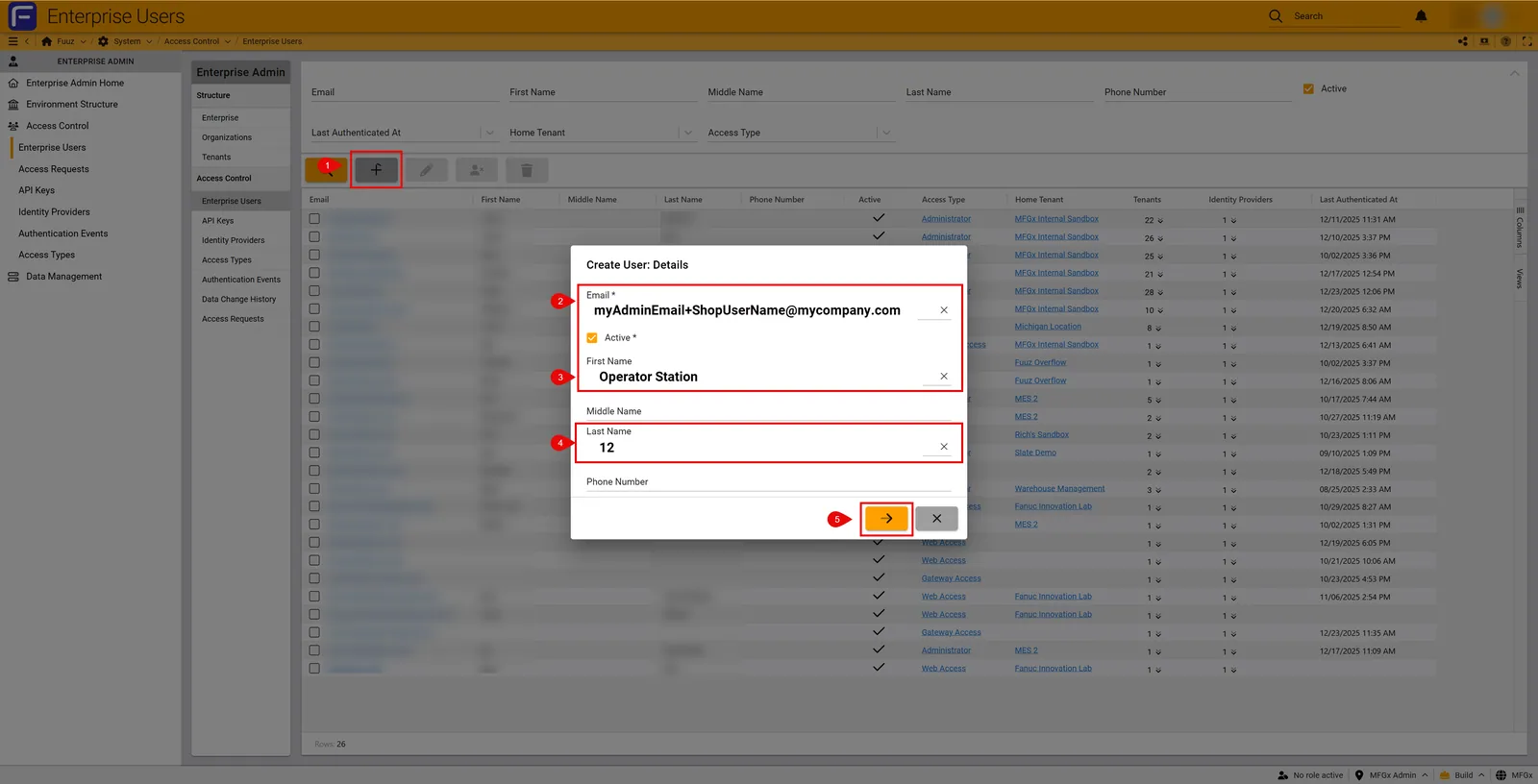
Steps
- Log in to Enterprise Administration and navigate to Access Control → Enterprise Users.
- Click New to create a user.
- Enter the email using plus-addressing format:
admin+firstname.lastname@company.com
Example:admin+bill.smith@company.com - Select Internal Identity Provider for shop-floor users without Active Directory accounts.
- Assign an appropriate Access Type (typically Web Access).
- Set Home Tenant and assign roles for the application.
- Click Save. All notifications will route to
admin@company.com.
Why Use Plus-Addressing?
- Centralized Management: Admin receives all notifications.
- Unique IDs: Each user has a distinct login credential.
- No Extra Mailboxes: Avoid creating multiple corporate email accounts.
- Enhanced Traceability & Auditing: Users have to authenticate, by creating users this way, you create additional auditing of events
- Simple Licensing: Fuuz is unlimited user based, so unlike your AD/Email system, you're not being billed for all the extra functionality this offers
Best Practices
- Document the naming convention (e.g.,
admin+shopfloorX@company.com). - Use consistent patterns for easy tracking.
- Monitor the admin mailbox for password setup and expiry alerts.
Examples
admin+line1.operator1@company.com
admin+line1.operator2@company.com
Revision History
| Version | Date | Editor | Description |
|---|---|---|---|
| 1.0 | 2025-12-23 | Craig Scott | Initial Release |
Need more help?
Ask the Fuuz community, or open a ticket with Fuuz support.