
Build Apps · Screens
Array Input
fuuz.com/help/array-input
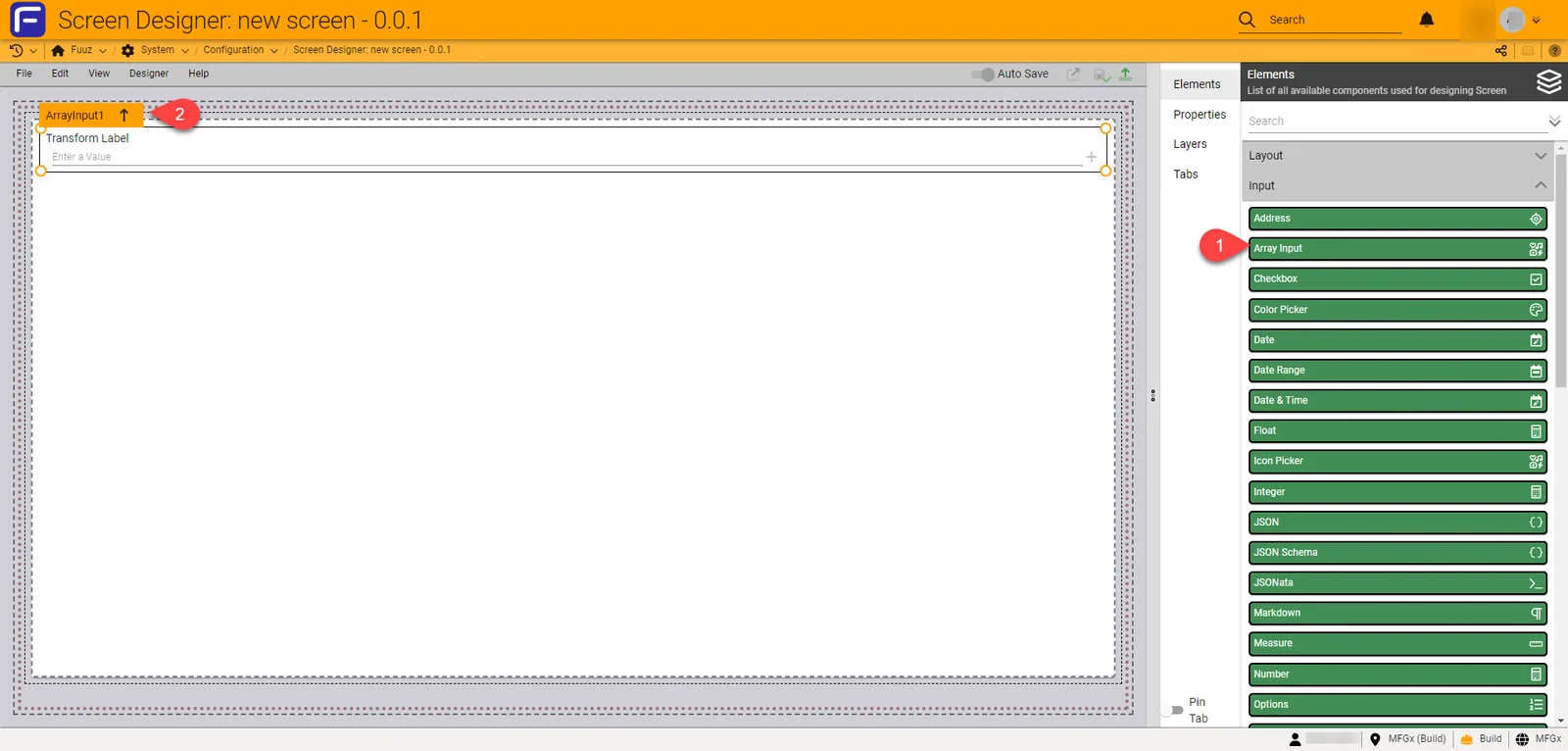
The Array Input element can be used in the Screen Designer by dragging the element into the Screen Designer Canvas.
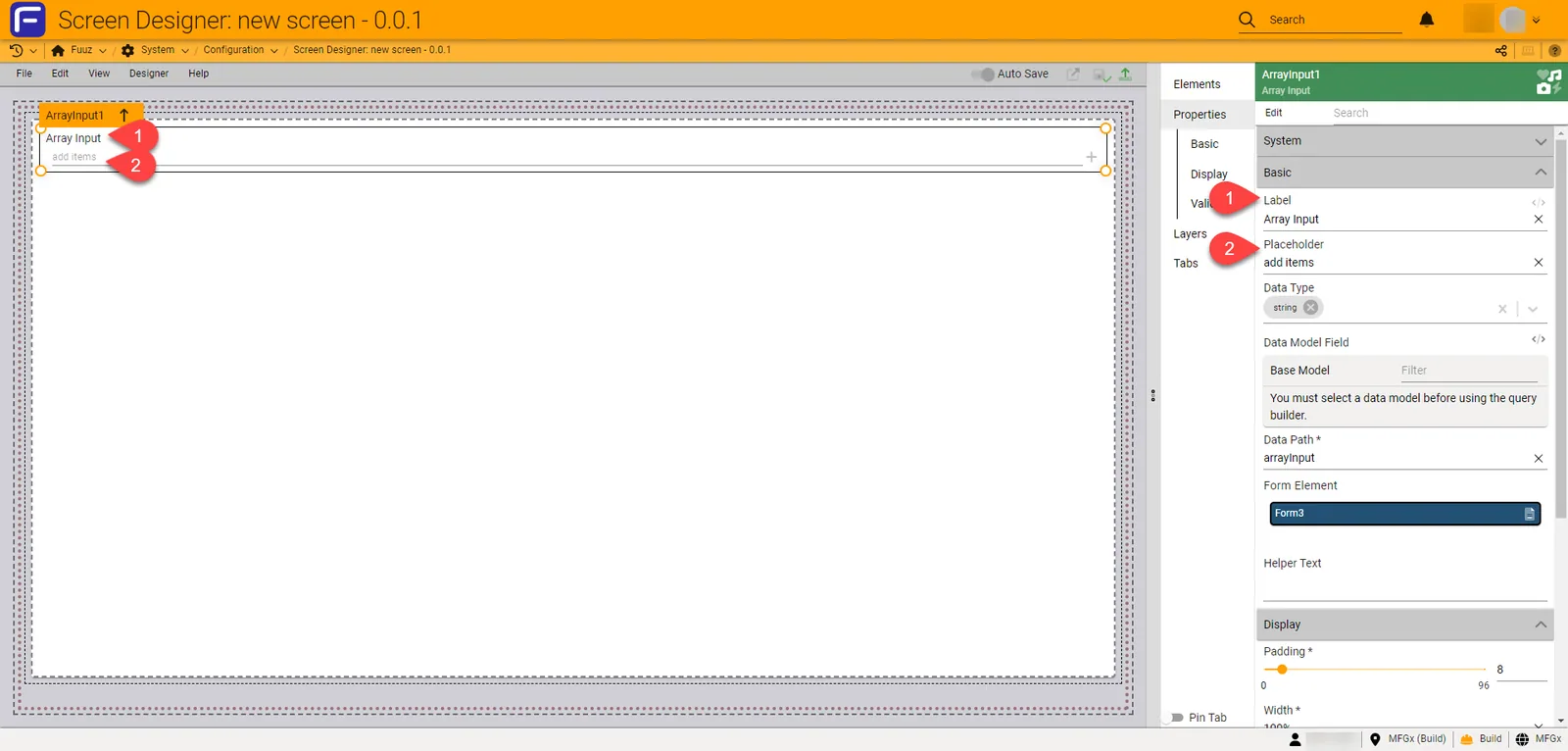
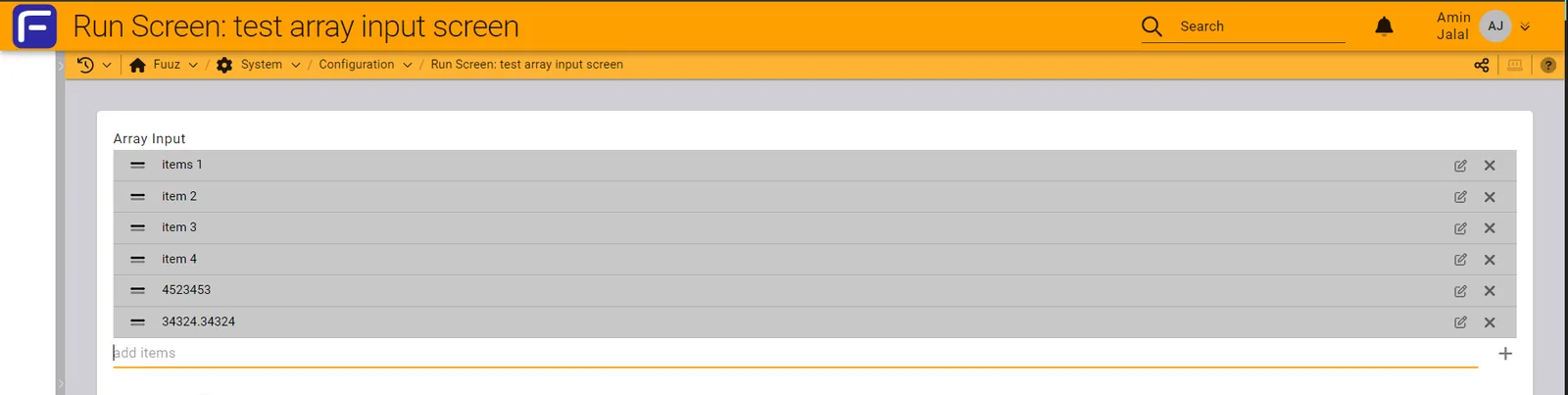
Within the 'Basic' editable properties in the Editor Panel, the Array input can be customized to have a label that will present on the top side of the Array Input element and a placeholder that will present in the input as a placeholder.
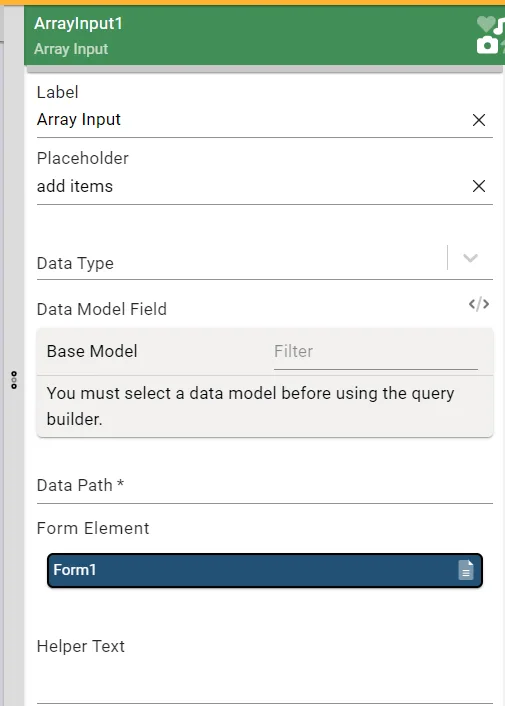
Editable Properties:
- Basic
- Label
- Placeholder
- Data Type
- Data Model Field
- Data Path
- Helper Text
- Form Element
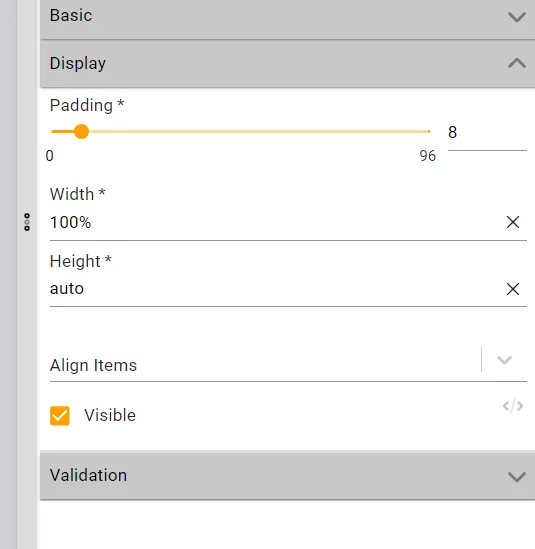
- Display
- Padding
- Width
- Height
- Align Items
- Visible
- Validation
- Label
- Placeholder
- Data Type
- Data Model Field
- Data Path
- Helper Text
- Form Element
- Padding
- Width
- Height
- Align Items
- Visible
Functionality:
User can add multiple items and any data type, it will render as a list at top of the input field, there is also a functionality to edit and remove each item from list.
Need more help?
Ask the Fuuz community, or open a ticket with Fuuz support.