Assets and plans
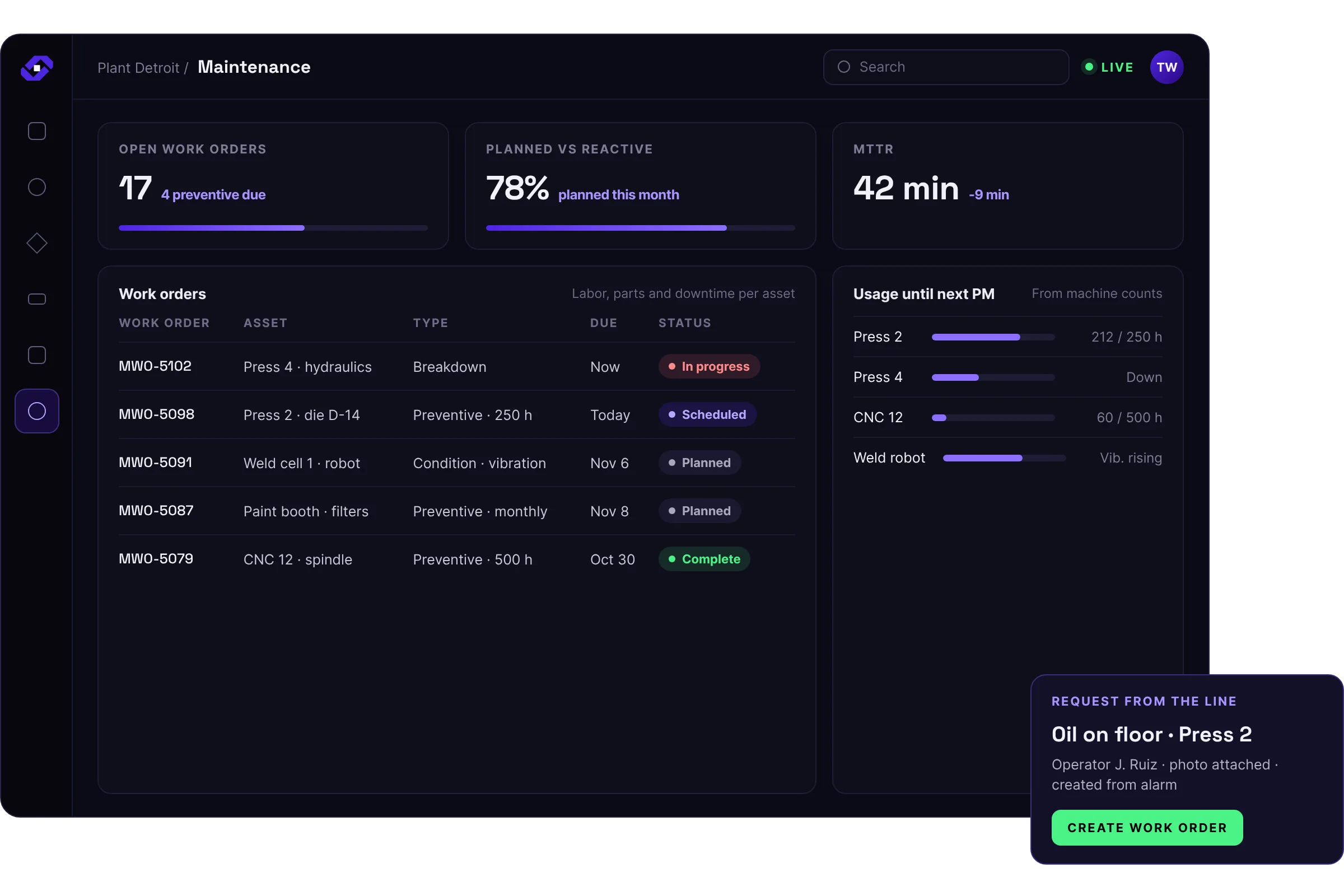
Manages assets, work orders and preventive maintenance plans, triggered by calendar or by machine usage and condition.

Solutions
Why Fuuz
Industries
Resources
Partners
Company
Maintenance management
Runs on the Industrial Operations Platform, where your data, your applications and your AI live together.
The problem
Maintenance runs on a separate system or on paper. Work orders are late, parts are not on hand, and production is not told when equipment will be down.
How Fuuz solves it
Manages assets, work orders and preventive maintenance plans, triggered by calendar or by machine usage and condition.
Creates work requests from machine alarms or from operators at the line.
Tracks labor, parts and downtime against each asset.
Shares maintenance windows with scheduling, so production plans around planned downtime.
What it connects to
Connects to machine and sensor data, ERP parts and purchasing, and the production schedule.
Everything it records lands in the Enterprise UNS, so every other solution works from the same data. See ERP integration and shop-floor connectivity for how those connections work.
Who uses it
Their work orders, with the asset and parts involved.
Preventive plans and maintenance windows alongside the production schedule.
A quick way to request work, and when equipment will be down.
Labor, parts and downtime by asset.
Questions
Machine data is already in the platform, so maintenance can trigger on real usage and conditions, and downtime flows straight into OEE.
Yes. Work requests and work orders work on mobile devices, including photos.
Yes. Spare parts connect to warehouse inventory with min and max levels.
Yes. Tool and die records, check-in and check-out and tool life are included.
Related solutions
Plan any process against dates and capacity, and replan when things change.
Learn moreSee how every machine is really running, and why it stopped.
Learn moreCatch problems at the machine while they are still small.
Learn moreSee what you have, where it is, and what it is committed to, as it moves.
Learn moreTell the right person the moment something needs attention.
Learn moreGet a head start
The accelerator catalog is a faster path than building from scratch: prebuilt data models, flows and screens to adopt and adapt to how you run.
Browse the catalog to find the starting points that fit your plants. A Fuuz services professional or an approved partner implements them with you.
What an accelerator gives you
Get started
Tell us what you run today. We will show you Fuuz working on your problem.
Prefer to talk? Call 1-877-801-FUUZ (3889)