 Help CenterHelp Center
Getting Started · User Guide
Article Type: Concept
Audience: All Users
Module: Fuuz Platform
Applies to Versions: All
In many cases, Fuuz customers operate multiple tenants within their enterprise. In Fuuz, a tenant is an application on the platform—each tenant provides isolated data, users, security, and runtime for a specific business capability (site, business unit, or enterprise scope).
Every Fuuz customer should have an Admin Tenant for system administration (adding users, modifying security, monitoring system health). In addition to the Admin tenant, at least one additional tenant is necessary for any site-specific applications.
Examples include an enterprise application used across multiple locations by a centralized group of users, and site-specific applications such as MES or WMS, where users and transactions are specific to one location, business unit, or process.
For best practices or guiding principles, consult with your implementation partner about your specific needs. Your system administrator must grant access to multiple tenants for switching to be available.
After logging into Fuuz from the initial login screen, you are immediately directed to your Home Tenant. This is stored in your user record and can only be changed by a system administrator.
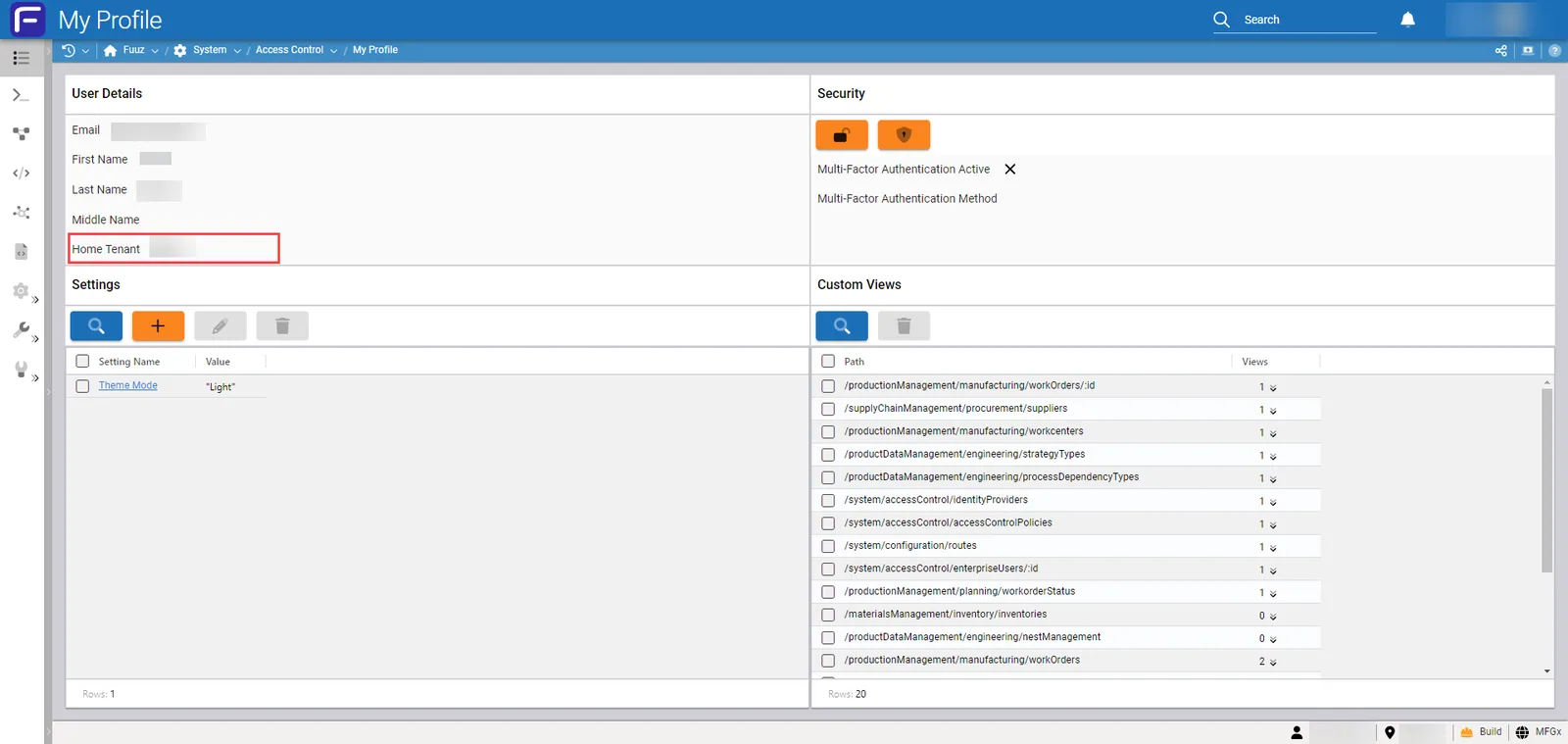
You can determine your Home Tenant by opening My Profile, located within your Avatar Menu in the top-right corner of the Fuuz screen after logging in.
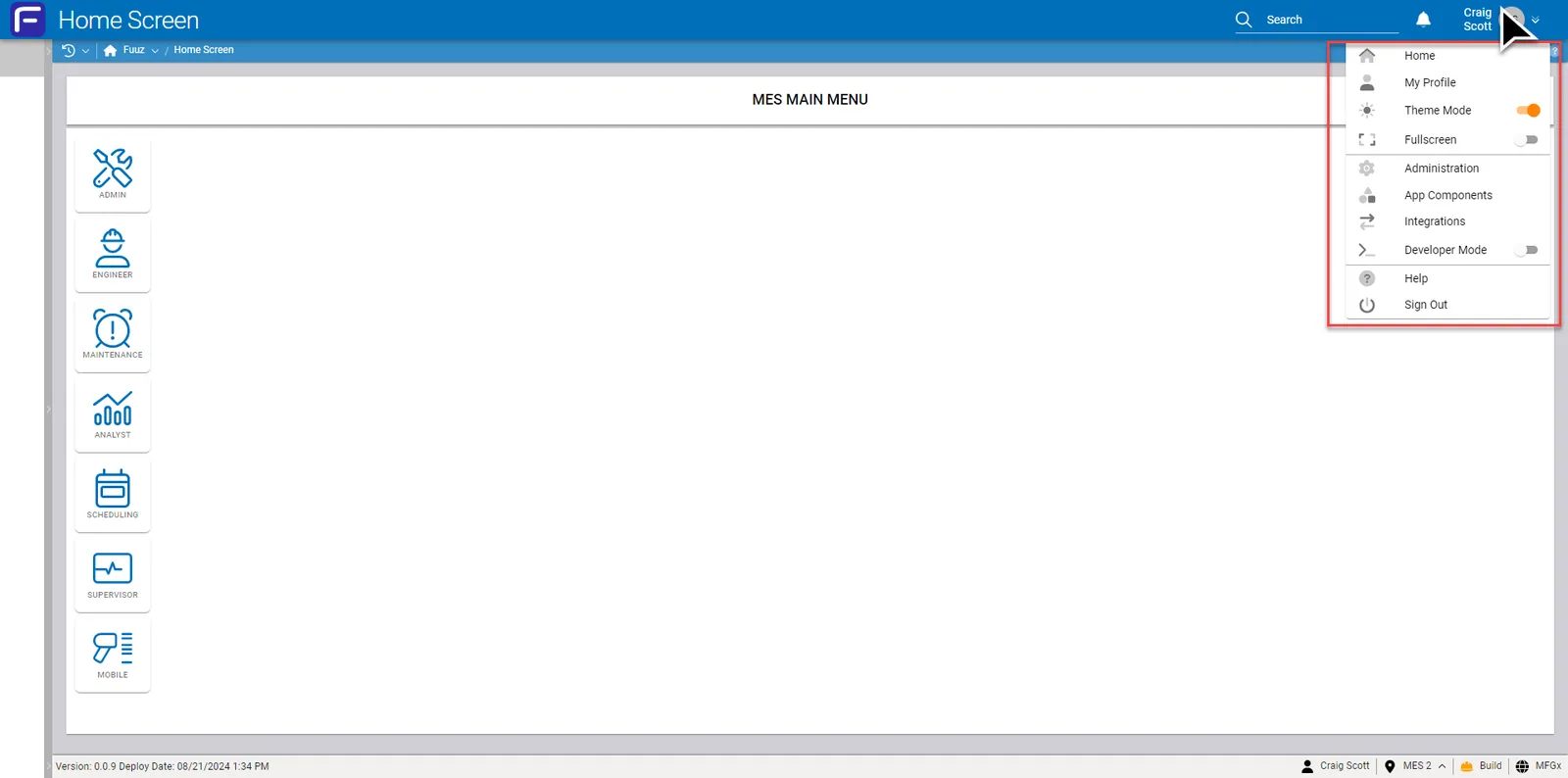
Located in the top-right corner of your screen, the Avatar Menu provides a dropdown of options based on your security and permissions in the system.
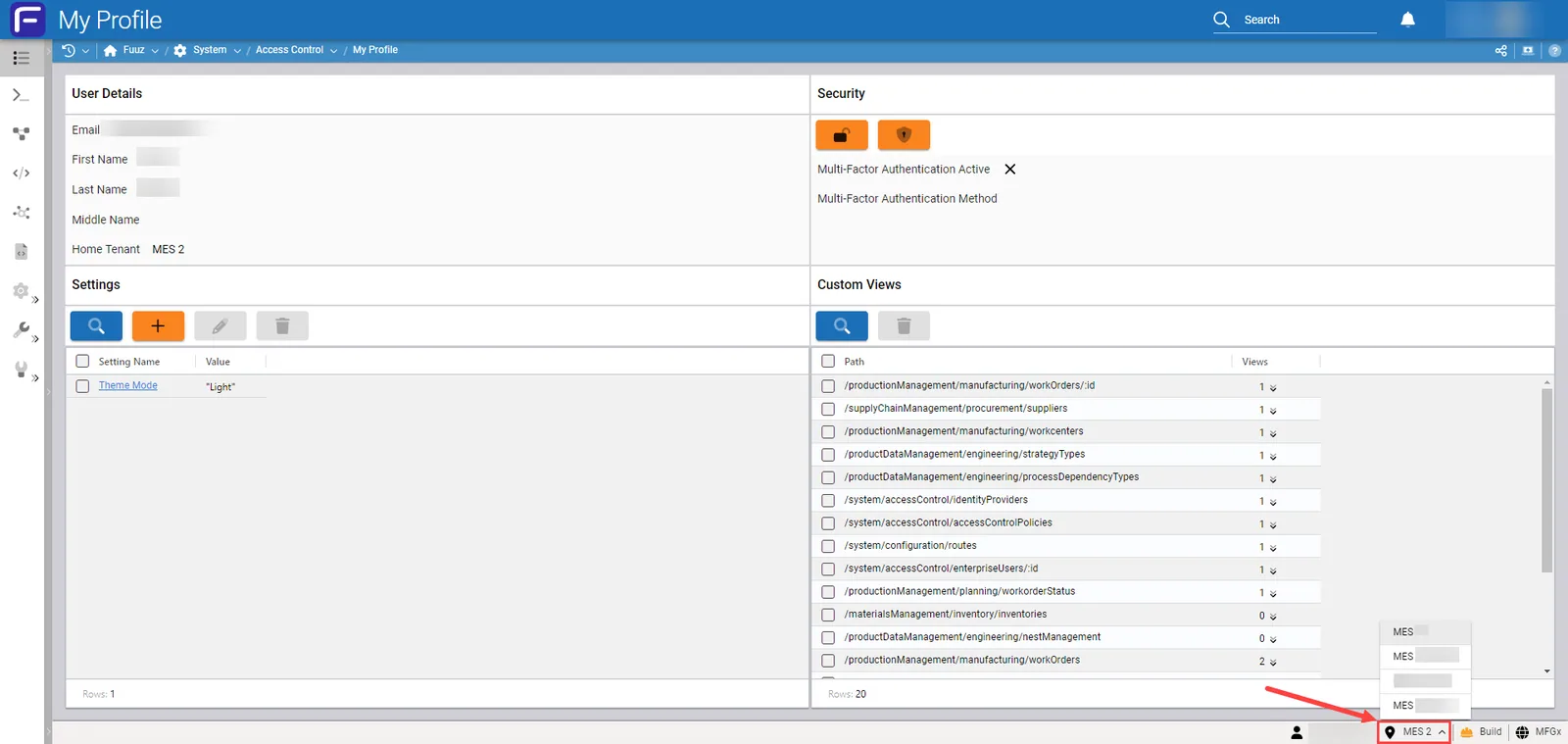
If you have access to more than one tenant, use the Tenant Menu feature in the lower (bottom-right) corner of the Fuuz application. The Tenant Menu uses the industry-standard location icon and an upward arrow, indicating other options are available for selection.
Click anywhere on the area; the Tenant Menu will appear above the lower bar and allow you to switch to another tenant (application).

| Feature | Admin Tenant | Site-Specific Tenant |
|---|---|---|
| User Management | ✓ Supported | ✗ Not Supported |
| Application Execution | ✗ Not Supported | ✓ Full Support |
| Version | Date | Editor | Description |
|---|---|---|---|
| 1.0 | 2025-12-24 | Craig Scott | Initial Release |
Fuuz Knowledge Base • Document ID: [AUTO] • Version: [1.0.0] • © 2025 Fuuz