 Help CenterHelp Center
How-To Guides · Other how-tos
Article Type: How-To / Feature
Audience: End Users, Administrators
Module: Fuuz Platform
Applies to Versions: 2025.12+
Sometimes it is helpful to share a specific page, report, dashboard, or screen with a co-worker so they can see the same thing you are. Fuuz provides a convenient Share option for this purpose, located just below the avatar menu in the upper right corner of every screen.
Important: The user you share with must have proper access to the screen and the underlying data to utilize the share feature.
This feature uses the industry-standard “share” icon. Clicking the icon copies a link to the exact screen you’re viewing to your clipboard. You can then send this link via email, chat, or any messaging tool.
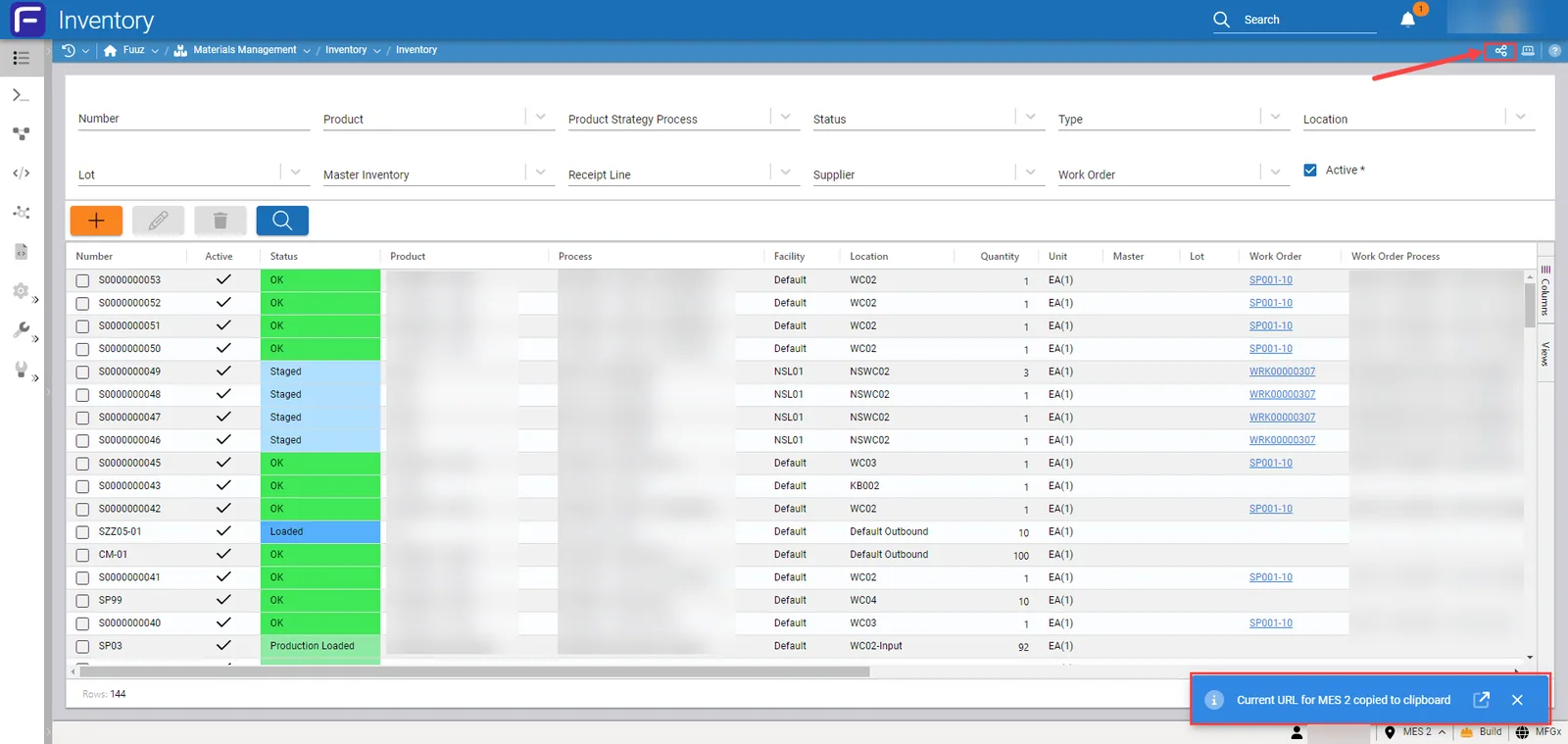
Clipboard Contents Example:https://build.mfgx.fuuz.app/materialsManagement/inventory/inventories?InventoryTable.view=Default2&tenant=MichiganLocation
| Version | Date | Editor | Description |
|---|---|---|---|
| 1.0 | 2025-12-23 | Craig Scott | Initial Release |