 Help CenterHelp Center
How-To Guides · Users and access
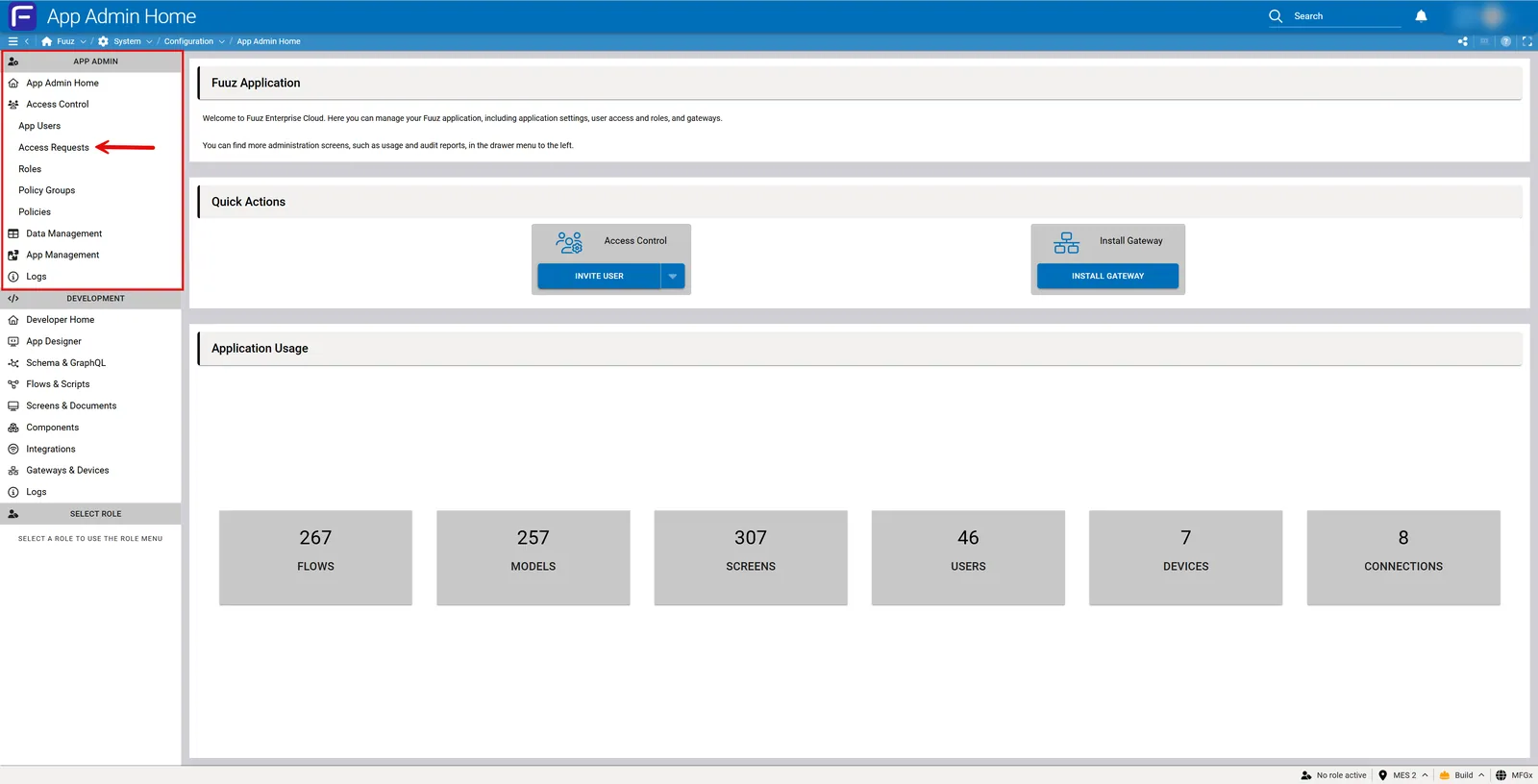
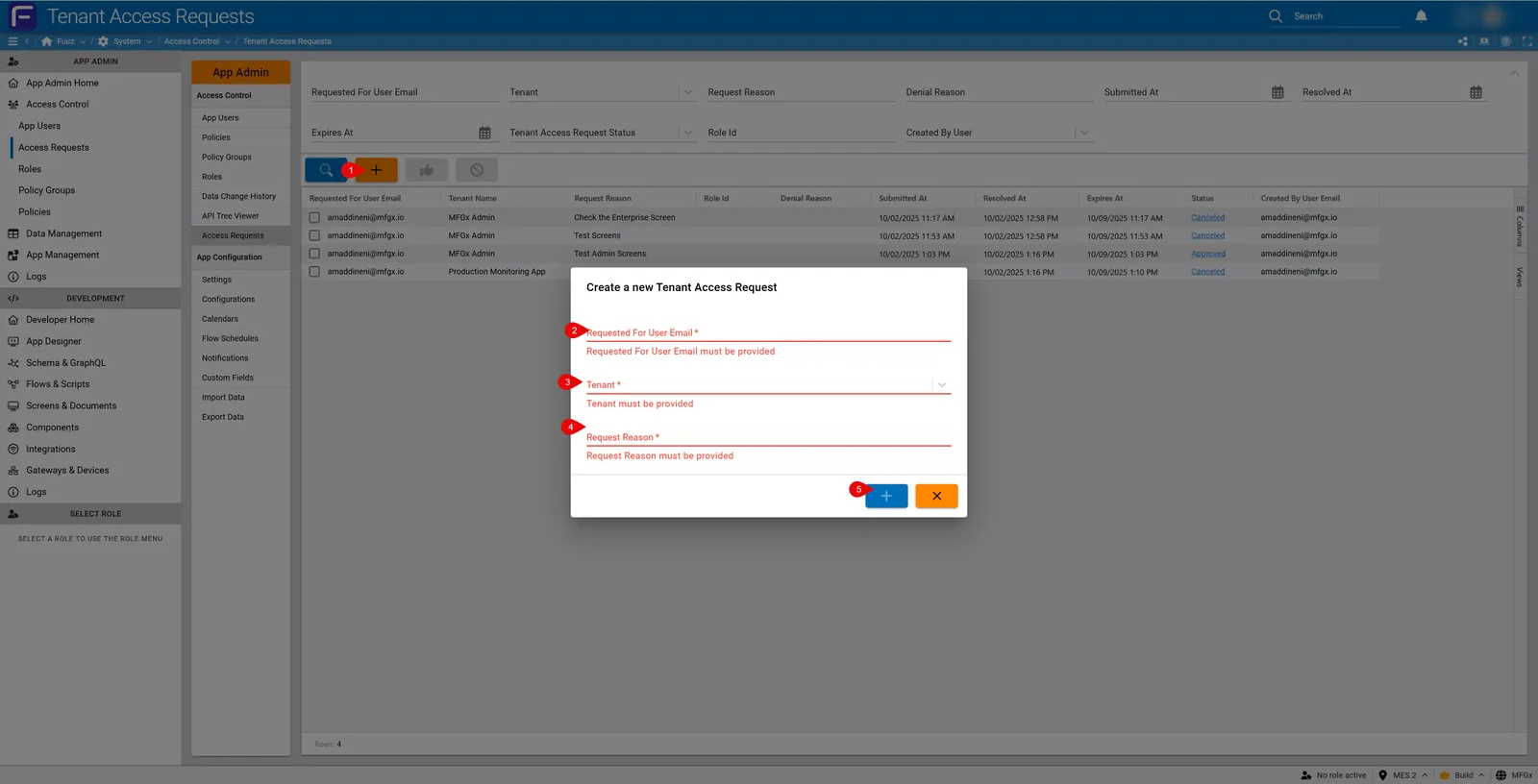
Application Administrators add existing enterprise users to their application and assign roles (without creating enterprise users).
Note: Enterprise Administrators can skip this process and create new users straight away from the Enterprise Admin environment. This feature provides control between corporate and site level access.
Note: Application administrators cannot create enterprise users; requests route to Enterprise Administrators for approval and provisioning.
| Version | Date | Editor | Description |
|---|---|---|---|
| 1.0 | 2025-12-23 | Fuuz Documentation Team | Initial Release |